
A unified LLM API is a single interface that sits between your application and several model providers. It translates one request format into each provider's native format, routes the call to an eligible model, and returns a stable response. For teams building agents rather than single completions, the same idea extends one level up: a unified layer for agent harnesses such as Codex and Claude Code, which is what HarnessRouter provides through one Agent API.
This guide covers what the unified layer does, which engineering concerns it removes, how to compare options on integration effort, reliability, latency and cost, and how to evaluate agent quality with benchmarks you run yourself.
TL;DR
- A unified LLM API normalizes requests, errors and usage across providers, so adding or swapping a model becomes a configuration change instead of a new integration.
- Mature unified layers centralize routing, fallback, budgets, rate limits and logging in one place rather than in every product team's code.
- Compare options on integration effort, failure behavior, added latency, cost visibility and pricing structure, and measure them on your own workload.
- Public agent benchmarks measure task completion, but they generally leave cost, latency and error recovery unmeasured, so supplement them with evaluations on your own tasks.
- HarnessRouter applies the unified approach to agent harnesses: one Agent API, over 30 supported harnesses, an open-source Community Edition and a managed cloud.
What a unified LLM API does
Without a unified layer, each provider integration carries its own authentication scheme, request schema, streaming format, error codes and usage accounting. Every additional model multiplies the adapter code a team maintains. A unified API collapses these into one contract: your application sends a single request shape and the layer handles the rest.
In practice, the layer performs a consistent sequence of steps. According to one published guide to unified LLM APIs, it validates capability flags, maps model aliases to eligible endpoints, translates provider-specific fields, routes the request and falls back when needed, normalizes errors and usage, and returns a stable response envelope. Each step solves a distinct problem:
| Step | What it removes from your application |
|---|---|
| Capability validation | Sending a request with tools, images or long context to a model that cannot handle it |
| Alias mapping | Hard-coded provider model identifiers scattered through the codebase |
| Field translation | Per-provider differences in parameters and message formats |
| Routing and fallback | Custom retry and failover logic |
| Error and usage normalization | Separate parsing of error shapes and token counts for each provider |
| Stable response envelope | Downstream code that breaks when a provider changes its output format |
Centralized operational control
The second benefit is organizational rather than syntactic. The same guide family describes a mature unified layer as one that centralizes model aliases, provider selection, fallback, budgets, rate limits, logging and usage attribution, so operators change policy in one place instead of rebuilding provider integrations in every product team. When a budget cap or a model swap is a policy edit, it can be done in minutes and audited afterward.
Model routing, fallbacks and provider-specific features
Routing is the decision of which model serves a given request. It can be static (an alias always resolves to one endpoint), rule-based (long prompts go to a long-context model), or learned. Fallbacks define what happens when the chosen endpoint errors or times out. Both belong in the unified layer so that application code names a capability, not a vendor.
Two cautions apply when you evaluate routing quality. First, learned routing is not automatically better than a fixed choice. The academic LLMRouterBench study, which spans over 400,000 instances from 21 datasets and 33 models, reports that several routing methods, including commercial routers, did not reliably outperform a simple baseline. Second, provider-specific features such as particular tool-calling behaviors or reasoning controls do not always map one to one, which is why capability flags matter: the layer should refuse or adapt a request explicitly rather than silently degrading it.
For a deeper treatment of routing strategies, see our practical guide to LLM routers.
From model APIs to agent harnesses
A model API returns completions. An agent harness wraps a model with a loop: tool execution, file access, a sandboxed environment, session state and a plugin system. Codex, Claude Code and Hermes are harnesses, and the same underlying model can behave very differently depending on the harness around it, a point we examine in why the same model feels different across products.
This changes what a unified interface must cover. Normalizing a chat completion is not enough when a product needs to start an agent session, upload files, provision an environment, stream progress and manage the runtime lifecycle. HarnessRouter is an open-source unified interface that lets product teams plug Codex, Claude Code, Hermes and other supported harnesses into their products through one Agent API, without managing a separate agent backend for each. The platform covers agent session management, file handling, plugin support, environment provisioning, benchmarking tools and serverless agent runtime lifecycle features.
The harness-specific pages show what is supported today: the Codex agent harness and the Claude Code agent harness. Integration pitfalls that appear on the first attempt are documented in what breaks on the first try.
How to compare unified API options
A useful comparison separates what a vendor claims from what you can measure. Use five criteria.
1. Integration effort
Count the work from first request to production: authentication, request translation for your existing client code, streaming support, file and tool handling, and how many provider-specific branches remain in your code afterward. For agent products, add session persistence and environment provisioning, since those are the parts teams otherwise build by hand.
2. Reliability and failure behavior
Test what happens when an endpoint is slow, rate limited or returns a malformed response. Check whether errors arrive in a normalized shape, whether fallback is configurable per alias, and whether partial streams are handled predictably.
3. Latency
Any added hop costs time. Measure time to first token and total completion time through the layer against a direct call, at your own payload sizes and regions, and look at percentiles rather than averages.
4. Cost visibility and pricing structure
One stated benefit of the unified approach is a single place to see usage and cost by model and by key, along with the ability to run the same prompt across models without extra setup. Beyond that, read how the layer charges: a markup on tokens, a routing fee on bring-your-own keys, a platform subscription, or a combination. Our analysis of what drives agent spend is in why Claude Code gets expensive and what reduces the bill.
5. Openness and lock-in
Check whether the interface follows an open standard, whether you can self-host, and how much of your code depends on vendor-specific constructs. HarnessRouter supports open standards such as the Unified Harness Protocol and ships a self-hosted Community Edition alongside the managed cloud.
What HarnessRouter costs
HarnessRouter Cloud publishes its plans on the pricing page. Prices as published:
| Plan | Price |
|---|---|
| Free | $0 per month |
| Developer | $20 per month |
| Production | $200 per month |
| Scale | $1,000 per month |
| Enterprise | No published price |
Usage-based items are listed separately: agent memory (Beta) at $0.0000840 per hour per GB, tracing at $50 per month, a 5.5% processing fee on top-up credit, and BYOK routing, which is fee-free up to $25,000 per month of model usage at listed prices, with a 5% routing fee above that volume. Agent work has published per-active-minute rates that vary by plan; Enterprise pricing is available on request. Our positioning is that model provider costs carry no markup, and that both self-hosted and managed options are available.
What agent benchmarks measure, and what they leave out
When teams ask for LLM agent benchmarks, they usually want a number that predicts how an agent will behave in their product. Public suites help with a first shortlist, but their scope is narrow. According to a review of agent reliability benchmarking, SWE-bench, GAIA, AgentBench, WebArena and ToolBench emphasize task completion, reasoning or tool selection, while error recovery, cost efficiency and latency are generally unmeasured. The same source cautions that a benchmark success rate does not reveal repeatability, cost, appropriate escalation, adversarial robustness, long-horizon consistency or multi-agent collaboration.
That gap is the reason to run comparisons on your own tasks. Our agent harness benchmark compares Codex, Claude Code and Hermes as harnesses rather than as bare models, and our ranking of coding agents by task and evidence shows how results differ by task type.

How to evaluate AI agent quality
Final-answer correctness alone hides most agent failures. Toloka's 2026 evaluation guide recommends combining several measurements, which map into five groups:
- Task success: a rubric that defines what a correct outcome is for each task.
- Tool use: precision and recall of tool calls, argument accuracy and recovery after a tool failure.
- Efficiency: trajectory length, token cost, tool-call count and completion time.
- Stability: variance across repeated runs of the same task.
- Robustness: behavior under adversarial or malformed input.
On cost, Openlayer defines cost per success as total compute cost divided by successful outcomes. This metric corrects a common error: a cheaper model that fails more often can cost more per completed task. The same guide recommends deterministic schema checks for tool arguments and judge-model or human review for free-form outputs.
A minimal evaluation record per run might contain:
- The task identifier and the harness and model used.
- The success verdict and which rubric items passed.
- Number of tool calls and any failed calls with recovery outcome.
- Input and output tokens and total cost.
- Wall-clock duration.
For model selection specifically, see our walkthrough of model evals for your use case.
Benchmark before deployment, monitor after
Offline evaluation and production monitoring answer different questions. Per the Scouter documentation, before deployment you run fixed test scenarios, compare results to a baseline, and use evaluations to gate releases and catch regressions. After deployment, you evaluate sampled production traffic asynchronously and alert when results cross configured thresholds. The same documentation distinguishes scenario evaluation of final outcomes from workflow evaluation of intermediate outputs, tool results and component records.
Grafana's documentation describes experiments that record generations, scores, usage and artifacts for controlled offline comparisons, and states that live monitoring is still needed to see production behavior. Datadog's June 2026 article adds that evaluation scores can be connected to traces, prompts, token counts, latency and cost, and compared against baselines. Fiddler describes a continual loop: evaluate before deployment, observe production decisions, debug and annotate failures, then feed those traces back into pre-production datasets.
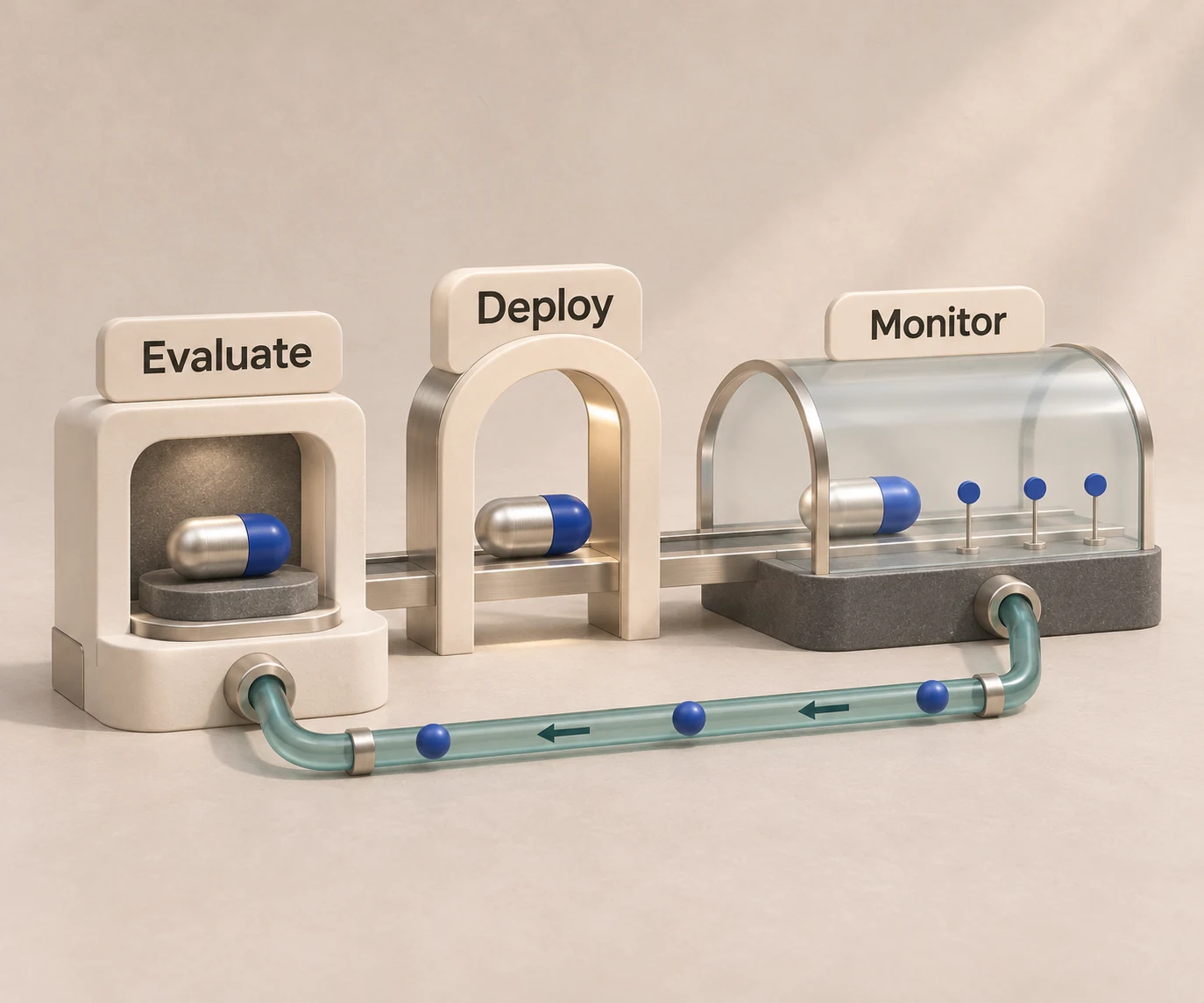
A unified layer makes this loop cheaper to run, because the same task can be dispatched to several harnesses and models through one interface and logged in one format. Tracing is available on HarnessRouter Cloud as a separate $50 per month item.
Our perspective
Teams that start with one model API tend to discover the real integration cost only when they ship an agent. The model call is the small part. Sessions, files, sandboxed environments, plugins and runtime lifecycle are what consume engineering time, and they are rebuilt for every harness a team wants to try.
We built HarnessRouter around the view that the harness is a first-class variable, alongside the model. Quality and price both change when you change the harness, so the only reliable way to choose is to run your own tasks against several of them and compare the results. A single Agent API across more than 30 harnesses is designed to make that comparison a configuration change, not a migration.
We also believe the interface should stay open. That is why the Community Edition is open source, why we support the Unified Harness Protocol, and why our approach carries no markup on model provider costs. You can self-host, use the managed cloud, or move between them.
Start with the free plan or self-host
If you are choosing an interface for an agent-powered product, run one real task through two harnesses before committing to either. HarnessRouter Cloud has a Free plan at $0 per month for a first integration, and the Developer plan is $20 per month. Teams that prefer to run their own infrastructure can use the open-source Community Edition.

Compare plans and usage-based items on the HarnessRouter pricing page. Teams currently evaluating SDK-based approaches can also read our overview of Vercel AI SDK alternatives for agent harnesses.
FAQ
What is the difference between a unified LLM API and an LLM router?
A unified LLM API standardizes the request and response format across providers. A router is the component that decides which model serves each request. Most unified layers include routing, but you can use one without the other. Our guide to LLM routers covers the routing side in detail.
Does a unified API add latency?
It adds a network hop and translation work, so you should measure it on your own payloads. Compare time to first token and total completion time through the layer against a direct call, using percentiles. For agent tasks that run for minutes, the added overhead is usually small next to model and tool execution time, but confirm this on your workload.
How do I evaluate whether an agent is good enough for production?
Define a task-success rubric, run each task several times, and record tool-call accuracy, token cost, duration and variance. Then compute cost per successful outcome rather than cost per run. Public benchmarks are a starting shortlist, and your own scenarios decide the final choice.
Can I bring my own API keys?
Yes. HarnessRouter supports bring-your-own-key use with routing fee-free up to $25,000 per month of model usage at listed prices, with a 5% routing fee above that volume, as listed on the pricing page. Check that page for the current terms.
Is there a self-hosted option?
Yes. HarnessRouter Community Edition is open source and can be self-hosted. Details are on the open-source page.
Sources
- What Is a Unified API for LLMs? Complete Guide
- Build on One Unified LLM API
- LLMRouterBench: A Massive Benchmark and Unified Framework
- Unified LLM API for Multiple Providers: A Practical Guide
- Benchmarking Agent Reliability
- AI agent evaluation: Frameworks, metrics, and benchmarks
- Agent evaluation: Complete guide to testing AI agents
- Agent evaluation overview, Scouter
- Experiments, Grafana Cloud documentation
- Using Evaluation Frameworks with Agent Observability
- AI Agent Evaluations Across the Lifecycle