
Deploying an AI agent means moving it from a working prototype to a versioned, isolated, observable runtime that real users can call, with defined tool permissions, evaluation gates, cost limits and a tested rollback path. The model call is the smallest part of that work. Most of the effort goes into the runtime around it: session state, sandboxing, tracing, release control and spend management.
This guide covers what to validate before launch, how to choose an architecture and hosting model, how to move an agent through staging into production, how to operate it afterward, and how to keep costs predictable when more than one model or agent harness is involved.
TL;DR
- Define the agent's scope, tool list and success metric first, then build a versioned evaluation set that gates every release.
- Choose the hosting model from the agent's state and traffic profile: serverless for stateless, bursty work, containers for stateful sessions, dedicated machines for sustained high volume.
- Promote through staging and a canary stage, version code, prompt, model pin and tool contracts together, and keep the previous version runnable.
- Trace every run and alert on error and spend spikes; roll back on behavioral regression, not only on crashes.
- Budget for inference, infrastructure and operations, not inference alone.
What to Define and Validate Before You Deploy
A deployment that fails usually fails on an undefined contract, not on the model. A pre-production checklist for LLM agents recommends settling the following before shipping:
- A one-sentence job description and explicit non-goals.
- Input and output schemas.
- A success metric agreed with the owner of the workflow.
- A versioned evaluation set of 50 to 100 cases, scored automatically in CI.
- A pinned model version, so a provider-side change cannot alter behavior silently.
The same checklist recommends least-privilege tool access, human approval for side effects, idempotent tool calls and server-side validation of tool arguments, together with timeouts, fallback paths and a plan for provider outages.
Restrict the tool surface
An agent should call a finite, enumerated list of tools. A production deployment checklist warns against implicit or runtime tool discovery, because a reviewer can miss a tool that appears on the next deploy. It also specifies that every write tool needs an idempotency key or must be declared safe to retry, so a retry never duplicates a side effect such as a payment, an email or a ticket.
In practice, treat the tool manifest as a reviewed artifact in version control. A change to the manifest is a change to the agent's permissions and goes through the same review as code.
Test in contained but realistic environments
Singapore's IMDA published a Starter Kit for Testing Agentic Systems (Version 1.0, October 2026) that proposes four steps: identify the relevant risks, build realistic tests in contained environments, run them and analyze the logs, and account for drift over time from tool and service integrations, memory and long-horizon interactions. The last step matters for deployment: a test that passed at launch does not prove the agent still behaves the same after a tool's API changes.
PwC's guidance on validating multi-agent AI systems frames the pre-deployment question the same way: identify how the system could fail in production, then decide whether the residual risk is acceptable for its intended use and controls.
Build the evaluation harness
Teradata's AgentOps guidance recommends evaluating each workflow with a harness that covers happy paths, edge cases and failure modes. It measures quality, including refusal and violation rates, p95 latency, token usage, cost per task and stability across repeated runs, then enforces pass/fail gates before a change is promoted.
A workable minimum looks like this:
| Evaluation layer | What it checks | When it runs |
|---|---|---|
| Happy-path cases | Core tasks complete with correct output schema | Every commit in CI |
| Edge cases | Malformed input, empty results, long context | Every commit in CI |
| Adversarial cases | Prompt injection, out-of-scope requests | Before each release |
| Repeat-run stability | Variance in outcome across identical runs | Before each release |
| Cost and latency | Tokens and p95 latency per task | Before each release, then in production |
Teams that want an outside view of their agent evaluation and release gates can look at agent evaluation and release gates as a starting point for structuring the process.
Choosing an Architecture and Hosting Environment
Hosting choices follow from three properties of the agent: whether it keeps state between steps, how spiky its traffic is, and how much untrusted code or file access it needs.
A roadmap for production agents describes the usual compute options. Serverless functions suit stateless agents with unpredictable traffic, and they minimize idle cost at the price of latency. Containerized deployments suit stateful agents that need a consistent environment. Dedicated virtual machines suit high-volume workloads where cold starts are unacceptable, at the price of operational complexity.
A decision table
| Agent profile | Typical fit | Main trade-off |
|---|---|---|
| Short, stateless tasks with bursty traffic | Serverless runtime | Cold starts and per-invocation limits |
| Long-running sessions with files and tool state | Containers with persistent session storage | Orchestration overhead |
| Sustained high-volume, latency-sensitive work | Dedicated machines | Highest operational burden |
| Agents that execute generated code | Isolated sandbox per session, on any of the above | Provisioning and lifecycle management |
When the agent must use several models or harnesses
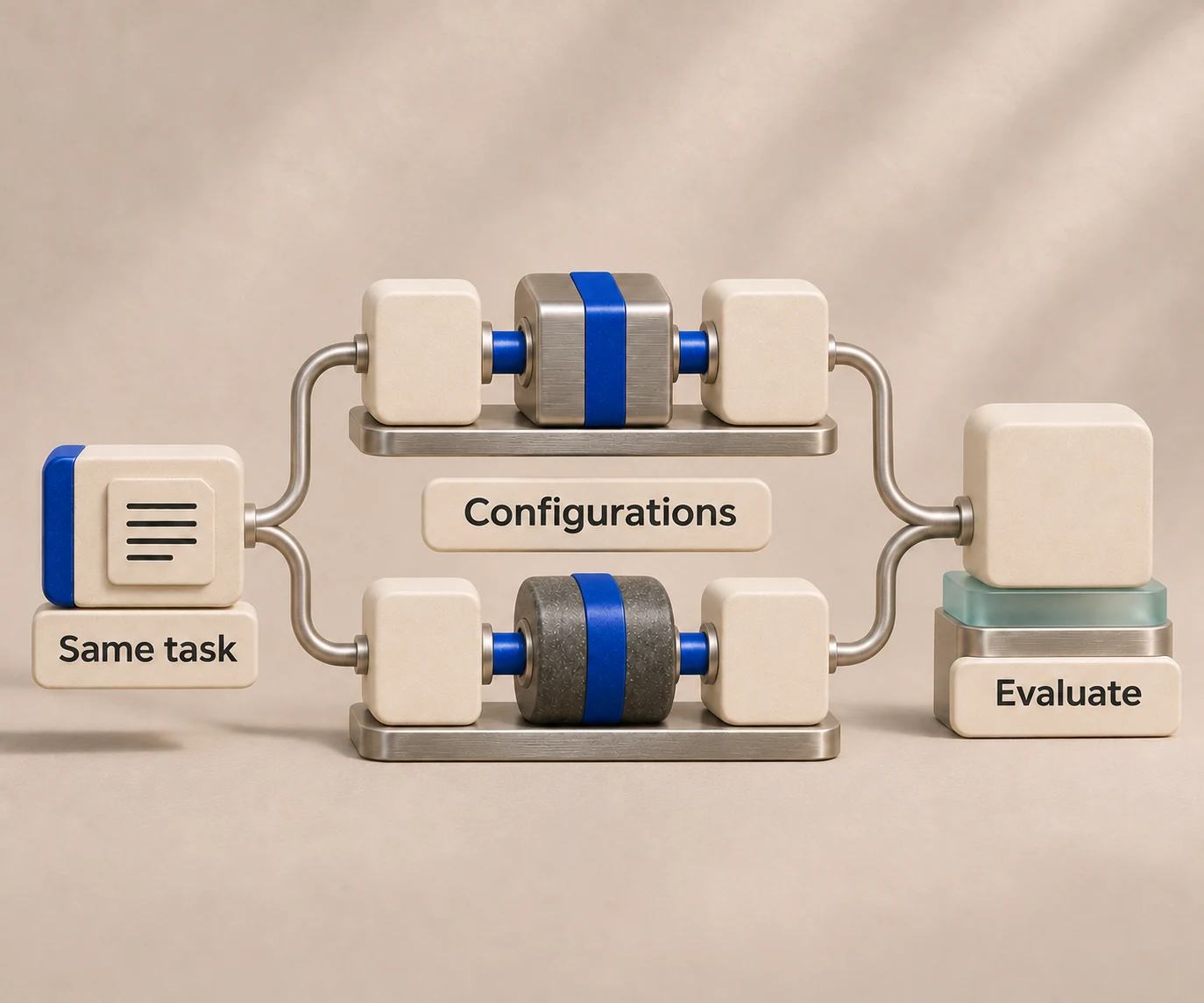
A single agent harness, meaning the loop that wraps a model with tools, context management and file handling, rarely stays the only one a product uses. Coding tasks, research tasks and support tasks often perform best on different harnesses and models. Integrating each one directly means a separate backend per harness: different session formats, different event streams, different credential handling and different failure modes.
The alternative is to put one interface in front of them. The request shape, session lifecycle, file handling and event stream stay constant, and the harness behind them becomes a configuration choice. That is the design [HarnessRouter](/) follows with its Agent API, and it is why switching or benchmarking harnesses does not require rewriting the application. For a deeper look at the layers involved, see our breakdown of the AI agent stack, and for a comparison of integration styles, Agent SDK, Managed Agent, Agent CLI, and HarnessRouter.
Self-hosted or managed
There are two defensible models. Self-hosting gives full control over data location and network boundaries, and it makes your team responsible for provisioning, upgrades and scaling. A managed runtime removes that burden and bills for usage. HarnessRouter supports both: the open-source Community Edition can be self-hosted, while the cloud platform handles environment provisioning and serverless agent runtime lifecycle. Because the interface is the same, a team can start on one and move to the other.
Sandboxing is part of the architecture
Any agent that runs shell commands, edits files or installs packages needs an isolated environment per session, with controlled network access and a defined lifetime. Building that yourself means owning image management, resource limits, cleanup and secrets injection. We cover the trade-offs in AI agent sandboxing: build it yourself or get it bundled.
Deploying an Agent From Development to Production
The path below applies whether the runtime is self-managed or hosted. Each step produces an artifact that the next step consumes.
- Package the agent. Put code, dependencies and configuration into a container image, using multi-stage builds to keep it small, as the production roadmap recommends.
- Pin everything that affects behavior. Record the code commit, prompt template, model identifier and tool contracts as one release version. ChangeGamer's readiness guide recommends versioning these four together so a rollback restores all of them.
- Externalize secrets and configuration. API keys for model providers belong in a secret store or are supplied per request, never baked into an image or a prompt.
- Run the evaluation suite in CI. A failing gate blocks promotion. Compare the candidate to the currently deployed version on the same cases.
- Deploy to staging with production-shaped dependencies. Use the same tool integrations, with test data and scoped credentials. Run the adversarial set here, since staging is the place where injection and permission tests can run safely.
- Shadow or canary in production. Teradata's guidance describes a progression through shadow and canary rollout, in which a small share of traffic goes to the new version while traces and cost and latency are compared against the incumbent.
- Promote gradually. Increase the traffic share only while quality, latency and spend stay within thresholds you set in advance.
- Keep the previous version runnable. The same readiness guide advises keeping it available for at least one canary period.
A minimal request flow against a unified agent endpoint has this structure, shown as pseudocode so that you can adapt it to your own API client:
# 1. create a session bound to a harness and model
session = create_session(harness="claude-code", model="<pinned-model-id>")
# 2. attach files and send the task
upload_file(session.id, "report.csv")
run = send_task(session.id, "Summarize anomalies in report.csv")
# 3. stream events, then read the result and trace
for event in stream(run.id): handle(event)
The point of the structure is that step 1 is the only place the harness appears. Moving the same task to a different harness changes one parameter, which is what makes pre-release benchmarking cheap.
Benchmark Harnesses Before You Commit
The cheapest time to compare harnesses and models is before launch, on your own tasks. Run the same evaluation set against each candidate and record pass rate, p95 latency, tokens and cost per task. Then choose the option that meets your quality bar at the lowest cost, and revisit the choice when models change.
HarnessRouter includes benchmarking tools for this, and Harness Arena is our approach to making harnesses compete on each production task. If your product involves code generation, our ranking of the best AI coding agents and the Claude Code harness page describe how individual options behave.
Operating a Deployed Agent
Availability is necessary and insufficient. An agent can return HTTP 200 on every call while giving wrong answers.
What to observe
Codebridge's control plane view lists what monitoring should capture: inputs and outputs, tool calls, reasoning traces where available, failures, retries and escalations, latency, tokens and API cost, drift, and human override events. The aim is to explain why the agent behaved as it did, not only whether it was up.
The pre-production checklist cited earlier adds practical points: trace every run, handle personally identifiable information in logs, keep dashboards for success rate and cost, and alert on spikes in errors or spend.
Rollout and rollback
Teradata's guidance pairs behavioral correctness signals with operational controls: traces, audit trails, cost and latency monitoring, and tested rollback or freeze mechanisms. ChangeGamer adds that rollback should trigger on behavioral regression and not only on crashes, and recommends runbooks for runaway cost, prompt regression, tool outages and security incidents.
Write each runbook as a short procedure with an owner, a trigger threshold and a first action. For runaway cost, the first action is usually a hard budget cap or freeze; for a tool outage, it is a documented fallback path.
Scaling
When traffic grows, the bottlenecks are rarely the model. They are concurrency limits at the provider, sandbox start time, session storage and the number of agents sharing credentials. Load-test the staging environment with realistic session lengths, and decide in advance how queued work behaves under saturation. Agents that coordinate with other agents multiply the number of calls per user request, so measure cost per completed task, not cost per call.
Controlling the Cost of Hosting AI Agents
Data Science Dojo breaks the cost of an agent in production into three layers: inference, infrastructure and operations. Its observation is that most teams budget for inference, underestimate infrastructure and ignore operations. It illustrates the operations layer with human escalation: at $20 to $80 per hour, with 10% of transactions escalating and five minutes each, the escalated transactions add $1 to $7 apiece.
Practical levers:
- Track cost per completed task, and set a per-session budget limit.
- Benchmark cheaper models and harnesses on your evaluation set before defaulting to the most capable one.
- Use serverless lifecycles so idle sessions do not hold compute.
- Separate platform fees from model spend, so the two can be tuned independently.
Perspective: Why a Single Agent Layer Belongs in Production
We built HarnessRouter because every team that ships an agent-powered product ends up writing the same backend: session management, file handling, environment provisioning, plugin support and a runtime lifecycle, repeated for each harness they adopt.
Our position is that this layer should be shared, open and replaceable. HarnessRouter exposes one Agent API for more than 30 supported agent harnesses, including Codex, Claude Code, Hermes, DeepSeek and Pi, and supports open standards such as the Unified Harness Protocol. The aim is that choosing a harness is a measured decision made with benchmarks, not an integration project made once and kept out of inertia.
We also think teams should keep control of model spend. Our design is intended to apply no markup on model provider costs, and the open-source Community Edition means the same interface can run in your own infrastructure when that is the requirement.
Readily reported going from idea to a working product in 24 hours with this approach, and that is the speed we design for: fewer backends to maintain, more time on evaluation and product behavior.
Running This on HarnessRouter
HarnessRouter Cloud covers the infrastructure steps above: agent sessions, file handling, environment provisioning, benchmarking and serverless runtime lifecycle, behind one API. Published plans are Free at $0 per month, Developer at $20 per month, Production at $200 per month and Scale at $1,000 per month, with an Enterprise tier available. Tracing is $50 per month, bring-your-own-key routing is fee-free up to $25,000 per month of model usage at listed prices, with a 5% routing fee above that volume, and top-up credit processing carries a 5.5% fee. Agent memory (Beta) is billed at $0.0000840 per hour per GB.

Compare the tiers on the pricing page, or start from the open-source Community Edition if you need to self-host. Teams comparing integration layers can also read our guides to AI SDK alternatives and other agent platforms.
FAQ
How do I deploy an AI agent to production?
Package the agent, pin the code, prompt, model and tool contracts as one version, and pass an automated evaluation gate in CI. Then deploy to staging, run a canary in production, and promote traffic gradually while watching quality, latency and cost. Keep the previous version runnable for rollback.
How do I host AI agents?
Match hosting to the agent's profile. Serverless suits stateless, bursty tasks, containers suit stateful sessions, and dedicated machines suit sustained high volume. Agents that run generated code also need an isolated sandbox per session, which a managed runtime can provision for you.
How do I deploy AI agents at scale?
Load-test with realistic session lengths, set per-session budgets and concurrency limits, and monitor cost per completed task. Use one interface across harnesses so you can shift workloads to whichever harness and model meets your quality and price targets.
When should I roll back an agent?
Roll back on behavioral regression, such as a drop in evaluation pass rate, a spike in tool errors or runaway spend, and not only on crashes. Have runbooks ready for cost, prompt regression, tool outages and security incidents.
Sources
- A Pre-Production Checklist for LLM Agents: 30 Checks Before You Ship
- AI agent deployment checklist: 18 checks before production
- Starter Kit for Testing Agentic Systems, IMDA
- Validating multi-agent AI systems, PwC
- AgentOps: How to Deploy AI Agents Safely and Reliably, Teradata
- Deploying AI Agents to Production: Architecture, Infrastructure, and Implementation Roadmap
- Shipping AI Agents to Production: A Production-Readiness Guide
- AI Agent Lifecycle Management: Production Control Guide
- The real cost of running AI agents in production