
Agent state management is the discipline of keeping an authoritative, durable record of what an agent run has done, what remains, and what it is allowed to do next, separate from the prompt the model sees and from the memory carried between runs. Teams that treat state as an explicit, versioned, persisted object can resume after crashes, audit decisions, and move between agent harnesses. Teams that leave it implicit inside a prompt lose it at the first timeout.
This guide defines the terms, lists what a state object should contain, and walks through persistence, checkpointing, multi-agent concerns and the failure modes that appear in production.
TL;DR
- State is the runtime's record of the current execution. Context is the token-bounded slice sent on one model call, and memory is knowledge retained for later runs.
- Model state as an explicit transition: current state, one agent step, updated state. Write it after every meaningful transition.
- Store large tool outputs outside the state object and keep only references to them.
- Use a stable run identifier and a versioned, serializable state so another worker can resume a failed run.
- Production agents also need isolation, tracing and cost controls around state, which is the layer a managed backend provides.
What agent state is, and what it is not
Three words are used interchangeably in agent engineering, and the confusion causes real bugs. Arize's glossary draws the line clearly: state is the runtime's authoritative record of the current execution (progress, pending work, tool results, identifiers, budgets and errors), context is the selected, token-bounded view sent on a single model call, and memory is information retained for later runs and retrieved into future context.
The practical consequence is that the three have different lifetimes and different owners:
| Layer | Lifetime | Who controls it | Typical storage |
|---|---|---|---|
| Context | One model call | The application, which assembles it | The prompt itself |
| State | One run, or one resumable session | The runtime | Key-value store or relational database |
| Memory | Across runs and sessions | A memory manager with retrieval | Document store, vector index or similar |
Separating the lifetimes prevents a common failure: a stale memory (a preference from three weeks ago, say) being treated as if it were current execution truth. State answers "where are we in this task?" Memory answers "what do we know from before?" Context answers "what does the model need to see right now?"
The state layer also deserves a higher level of trust than the other two. The model proposes actions, but the runtime decides which proposals become recorded facts. A tool result that was never written to state did not happen, as far as a resumed run is concerned.
What an agent's state should contain
A useful state object is small, structured and complete enough to resume from. The Arize reference lists the fields most runs need: the goal and plan, completed and pending steps, tool arguments and results, external identifiers, references to retrieved evidence, counters, errors, permissions and pending approvals.
In practice that translates into groups of fields:
- Task definition: the goal, the plan if one exists, and the constraints set by the application.
- Progress: completed steps, the current step, pending steps and a terminal status such as running, waiting for approval, failed or complete.
- Tool interaction: the arguments sent to each tool, the result or a reference to it, and any external identifiers (ticket numbers, commit hashes, order IDs) that later steps depend on.
- Budgets and counters: retry counts, token or cost budgets, and step limits that stop runaway loops.
- Permissions: what the run may do and which actions are waiting on a human decision.
- Errors: what failed, how often, and what the runtime did about it.
One published framework formalizes this as a tuple of goal, accumulated evidence, tool results, action history, permission state and unresolved questions, as described in this chapter on workflows, state and context. The notation matters less than the discipline: every field has a defined owner and a defined reason to exist.
What to leave out
The model's full conversation is not state, and neither is every byte a tool returned. Arize's guidance is that large or reconstructable tool outputs should be stored externally and referenced from state, rather than copied into the working state or into every prompt. A 40,000-line build log belongs in object storage, with the state holding its location, a checksum and a short summary.
The same principle governs what reaches the model. State may hold ten tool results while the context for the next call contains only the two that matter, plus summaries of the rest. Keeping prompts and working state bounded while retaining the underlying results is what makes long runs affordable; the approach to tools and quote actions for agents shows one way to structure tool outputs so the model receives a compact result while the full record remains available.
How state changes during the agent loop
An agent loop is a repeated cycle: read state, assemble context, call the model, execute whatever it requested, record the outcome. State management is the rule set that governs the last step.
The cleanest mental model is an explicit transition function. As one DEV Community explainer puts it, you have a current state, an agent step, and an updated state. Arize adds that each model response, tool result, human decision or workflow rule can produce a transition, and that the next loop iteration reads the updated state.
Picture one request that asks an agent to fix a failing test:
- The state holds the goal, an empty action history and a retry counter at zero.
- The model requests a file read. The runtime executes it, stores the file by reference, and appends an action record. State version 2.
- The model proposes an edit. The runtime applies it inside the sandbox and records the diff reference. State version 3.
- The test run fails. The error is written to state and the retry counter increments. State version 4.
- The model proposes another edit. If the retry budget is exhausted, a rule in the runtime, not the model, moves the run to a waiting-for-human status.
Each version is a recoverable point. Because the transitions are controlled by the runtime, the model cannot quietly rewrite history, exhaust a budget or grant itself permissions.
Managing state across steps, tool calls and sessions
The scope of state widens as a product matures, and each scope needs its own mechanism.
Within a step
During a single step, the planner and tool engine mutate short-term execution state. Keep these mutations atomic: a tool call is either recorded with its result or recorded as failed, never half-written. Record the arguments before the call and the result after it, so a crash between the two leaves evidence of what was in flight.
Across steps
Between steps, the risk is drift. Long runs accumulate stale evidence, duplicated results and contradictory notes. Summarize completed phases into compact records, retain references to the originals, and keep counters authoritative. The state object is not a transcript.
Across sessions
A session is a unit a user can leave and return to. It needs a stable session or run identifier, the state at the last checkpoint, and access to the files the agent produced. A description of the agent control loop states the pattern: a durable run normally uses a stable run or thread identifier, a serializable versioned state object, and writes after meaningful transitions so another worker can resume it.
The file system matters here as much as the state object. An agent that edited a repository in a sandbox has state in two places: the structured record and the working directory. If the sandbox is destroyed while the record survives, the resumed run references files that no longer exist. Treat the environment as part of the session and provision or restore it as part of resumption.
Between runs: memory
When a new request begins, a memory manager performs selective recall, pulling relevant facts, preferences and past reflections into context. Writes to long-term memory should happen from the event stream, after the fact, rather than from the live state, so a failed run does not pollute durable knowledge with half-finished conclusions.
Persistence, checkpointing and recovery
A checkpoint is a saved copy of the state at a well-defined point, typically after every step, so that a run can resume from the last checkpoint after a crash, timeout, deploy or human approval, as this chapter on agent building blocks explains. The same source notes that a Postgres-backed checkpointer in a popular graph framework writes a checkpoint at every super-step boundary, and that writing each result before the next step starts contains crash damage so a failure loses only the step in flight.
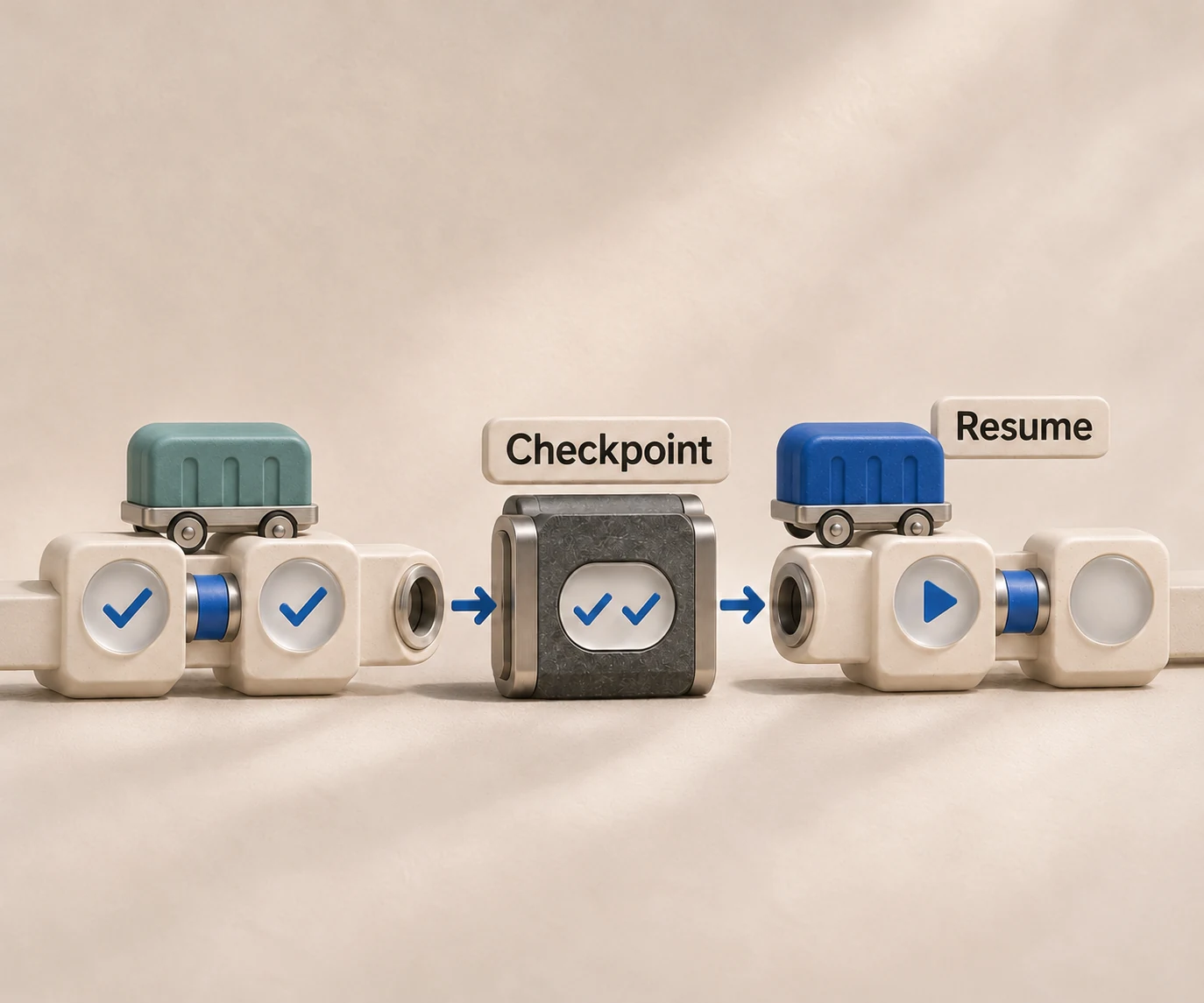
Graph-based orchestration frameworks make this explicit. According to Microsoft's documentation on persisting agent state, such a framework models an agent as a state machine, a graph of nodes and edges with a shared state object flowing through it, checkpointed to a backing store after every step so the agent can pause, resume, branch or roll back to an earlier point.
A checklist for durable runs
- Stable identifiers. Every run and session gets an identifier that survives restarts and is never reused.
- Versioned schema. Include a schema version in the state so a deploy that changes the shape of state does not strand in-flight runs.
- Write after transitions. Persist after each meaningful transition, not on a timer.
- Idempotent tools. A resumed step may repeat a tool call. Use idempotency keys for anything with side effects, such as sending email or creating a ticket.
- Resume by any worker. No worker should hold state only in memory. Another process must be able to load the checkpoint and continue.
- Approval gates as states. A pending human decision is a recorded status, so the run can wait for hours without holding a process open.
Branching and rollback
Because checkpoints are versions, they enable more than recovery. You can branch from an earlier checkpoint to try a different model or prompt, or roll back after a bad tool result. This is also the basis of fair benchmarking: replaying the same starting state against different harnesses and models isolates the variable you care about.
State across multiple agents
When several agents collaborate, state splits into private and shared parts. Each agent keeps its own working state, while a shared record holds the goal, assignments and results other agents need. Three rules keep this manageable:
- One writer per field. Concurrent writes to the same key produce conflicts that are hard to debug. Assign ownership.
- Pass references, not payloads. Agents hand each other identifiers and summaries, and read the full artifact only if needed.
- Isolate environments. Parallel coding agents editing the same files need separate workspaces. The tradeoffs are covered in our guide on running multiple coding agents.
Observability follows the same structure. If each state transition emits a trace event, you can reconstruct any run, see where cost accumulated and identify which step produced a bad result. Security follows from permissions being part of state: the runtime, not the prompt, decides what each agent may touch.
Failure modes and how to prevent them
Most production failures that look like model problems are state problems. The recurring ones are predictable.
| Symptom | Likely state cause | Prevention |
|---|---|---|
| Agent repeats completed work after a restart | No checkpoint, or checkpoint written before the result | Write results before advancing; resume from the last checkpoint |
| Agent forgets an identifier from ten steps ago | Identifier only lived in the prompt and was truncated | Store external IDs in state and inject them into context deliberately |
| Runaway loops and surprise bills | No counters or budgets in state | Enforce step, retry and cost limits in the runtime |
| Stale preferences override current instructions | Memory treated as execution truth | Keep separate layers with separate lifetimes |
| Resumed run cannot find its files | Environment destroyed while state survived | Persist or reprovision the workspace with the session |
| Resume fails after a deploy | State schema changed without versioning | Version the schema and migrate in-flight runs |
| Duplicate side effects after retry | Non-idempotent tools | Use idempotency keys and record intent before the call |
A useful habit is to review failed runs by reading the sequence of state versions rather than the transcript. The first version where the state diverges from reality is usually the bug.
Why state belongs in a backend, not in your prompt
Building all of this once is manageable. Building it per agent framework is not. Each harness keeps sessions, files and tool results in its own way, which is why portability is hard; our explanation of AI agent portability covers what has to be abstracted. The wider picture of what a production system needs around the agent is described in what a complete backend for AI agents includes, and the lifecycle side is covered in what managed agents are.
Our perspective
We build HarnessRouter on the view that state management should be a property of the backend rather than something each product team reimplements for every agent. When a team connects Codex, Claude Code, Hermes or another supported harness directly, it inherits that harness's own conventions for sessions, files and tool results, and it ends up maintaining separate agent backends.
Our approach is a single Agent API in front of the harnesses, with agent session management, file handling, plugin support, environment provisioning and a serverless agent runtime lifecycle handled in one place. The product team addresses a session through one interface, and the harness underneath can change without the application's state model changing.
We also think state is what makes benchmarking honest. When sessions and environments are consistent across harnesses, a team can compare quality and price on the same task and choose the best fit, instead of rewriting integration code for every candidate. Our aim is that the choice of harness stays a configuration decision, not a lock-in decision.
The same reasoning is behind the open-source Community Edition: teams that need to self-host can run the interface themselves, and teams that prefer a managed runtime can use the cloud platform, without a markup on model provider costs.
Run agent state in production with HarnessRouter
HarnessRouter gives product teams one Agent API for sessions, files, environments and benchmarking across supported harnesses, so state handling does not have to be rebuilt per agent. The Free plan costs $0 per month, Developer is $20 per month, Production is $200 per month and Scale is $1,000 per month, with Enterprise available on request. Optional add-ons include Tracing at $50 per month and Agent memory (Beta) at $0.0000840 per hour per GB. Current terms are on the pricing page.

Teams that want to self-host can start from the HarnessRouter Community Edition, and the [HarnessRouter homepage](/) shows the supported harnesses, including the Claude Code harness and the Codex harness.
FAQ
What is the difference between agent state and agent memory?
State is the runtime's record of the current execution: progress, pending work, tool results, identifiers and errors. Memory is information retained across runs and retrieved into future context. State is authoritative for the run in progress, while memory only informs it.
How often should agent state be checkpointed?
A common pattern is to write a checkpoint after every step, so a crash loses at most the step in flight. At minimum, write after each meaningful transition: a tool result, a human decision or a status change. Pair checkpoints with idempotent tools so a repeated step has no duplicate side effects.
Should tool outputs be stored in the state object?
Store small, decision-relevant results directly. Large or reconstructable outputs belong in external storage, with a reference in state, so the state stays compact and the prompt does not grow with every call. Include a short summary alongside the reference so the model can decide whether to load the full artifact.
How do I manage state when switching between agent harnesses?
Keep your own state model, with run identifiers, goals, status and references, independent of any one harness's internal format. A unified interface that handles sessions and files across harnesses makes the switch a configuration change. Our overview of agent SDKs, managed agents and CLIs compares the integration options.
Sources
- What Is Agent State Management, Arize AI
- Use LangGraph with Azure DocumentDB, Microsoft Learn
- Chapter 2: The building blocks, Agentic Systems
- Ch.5: The Agent Control Loop and State Machine
- State, Memory and Checkpointing in AI Agents, Explained, DEV Community
- Deterministic workflow or agent? State, memory, and context