Integrating Hermes Agent into a product comes down to three decisions: which inference provider backs it, how it reaches your tools and services, and whether you run it yourself or behind a unified Agent API. Hermes Agent is an open-source agent framework from Nous Research that runs in terminals, a desktop app, messaging platforms and IDEs, and it is designed for coding and task execution through tool calling, according to the project's own skill documentation. This guide covers the direct route, the security settings that matter before you expose it, and how the same pattern extends to DeepSeek and Pi.
TL;DR
- Hermes Agent needs a configured inference provider and model, a Python 3.11 and Node.js environment, and a Linux, macOS or WSL2 host.
- Keep secrets in
~/.hermes/.envand non-secret settings in~/.hermes/config.yaml; manage both withhermes configcommands. - Connect external systems through MCP servers, gateway messaging integrations, webhooks or the OpenAI-compatible API server, and protect the API server with
API_SERVER_KEY. - DeepSeek models are reachable through OpenAI-compatible and Anthropic-compatible endpoints, so the same client code can target them with a changed base URL and key.
- HarnessRouter exposes Hermes, DeepSeek, Pi and other harnesses through one Agent API, so a product does not need a separate agent backend for each.
What Hermes Agent is and what you need first
Hermes Agent is a harness: the layer that wraps a language model with a tool loop, session state, file access and a terminal backend. It is not a model. That distinction drives every integration decision, because the harness decides how tool calls are executed while the model decides what to call.
Before you integrate it, prepare four things:
- A host. Hermes runs on Linux, macOS and WSL2, and it requires Python 3.11 and Node.js, with most dependencies installing automatically, per DataCamp's setup tutorial.
- An inference provider. Hermes needs at least one configured provider and model. The official integrations documentation lists Anthropic, OpenAI, Google and any OpenAI-compatible endpoint among the supported options.
- Credentials. An API key or token for that provider, stored outside source control.
- A decision on exposure. Will Hermes run for one developer in a terminal, or will your application call it on behalf of many users? The second case is a different engineering problem, covered below.
The search interest around this topic splits along the same line. Most ranking pages are tutorials for individuals running Hermes on their own machine. A product team has a different question: how to put Hermes behind an application without building a bespoke agent backend.
Installing and configuring Hermes Agent
The configuration model is deliberately split in two. According to the official configuration guide, API keys, tokens and passwords belong in ~/.hermes/.env, while non-secret settings such as the model, the terminal backend, memory and tool configuration belong in ~/.hermes/config.yaml. The guide recommends the hermes config commands for managing both rather than editing files by hand.
The practical consequences for a team:
- Commit a template of
config.yamlto your infrastructure repository, because it contains no secrets. - Inject
.envvalues from your secrets manager at deploy time. Never bake them into an image. - Treat the terminal backend as a security setting, not a convenience. It determines where shell commands the agent issues actually execute.
Choosing a provider path
Hermes accepts several routes to a model. A direct vendor key is the simplest. An OpenAI-compatible endpoint lets you point at any gateway or self-hosted inference server that speaks that protocol. A hosted inference platform is a third route: the Hugging Face integration requires an installed Hermes Agent and a Hugging Face account with an API token permitted to call Inference Providers.
If your agent works with specialized data, the model is only half of the setup. Domain data feeds matter as much, and a prediction market agent guide shows what an agent-oriented data API looks like when the tool layer, rather than the model, carries the value.
Connecting Hermes to tools and services
The integrations documentation describes several connection paths. They solve different problems:
| Path | Direction | Typical use |
|---|---|---|
| MCP servers (stdio or SSE) | Agent calls out to a tool | GitHub, databases, filesystems, browser stacks, internal APIs |
| Gateway messaging integrations | Users talk to the agent | Chat platforms where your users already work |
| Webhooks | External events trigger the agent | CI results, ticket updates, payment events |
| OpenAI-compatible API server | Your application calls the agent | Embedding Hermes in a product backend |
For most product integrations the last row is the relevant one, and the MCP row is how you give the agent something useful to do.
Extending Hermes with MCP
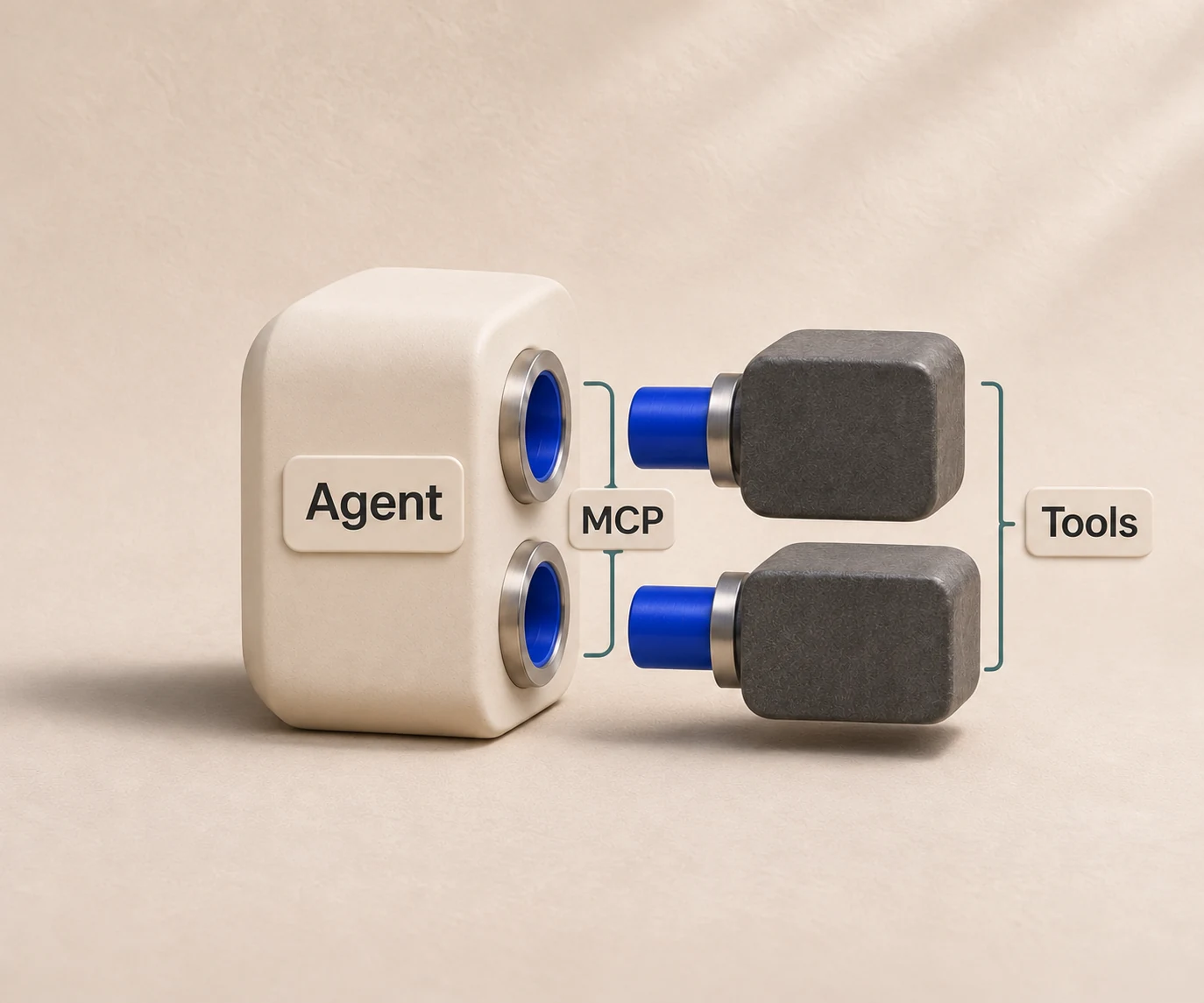
MCP (Model Context Protocol) servers are the cleanest way to give an agent access to a repository, a database or an internal service, because each server declares its tools in a standard shape and the harness handles invocation. Use stdio for servers that run as a local subprocess and SSE for servers that run as a network service.
Scope each server to the least access the task needs. A GitHub server that can read issues does not need write access to repository settings. If your use case spans CRM, analytics or marketing systems, specialist teams that build MCP integration services can wire those systems into an agent without your core team writing each connector.
Calling Hermes from your application
The OpenAI-compatible API server lets an application treat Hermes as if it were a chat completions endpoint. Existing OpenAI client libraries work with a changed base URL and key. This is attractive because it keeps your application code close to a standard, but note what sits behind the endpoint: a full agent with a toolset, not a stateless model.
Securing the API server before you expose it
The API server documentation requires API_SERVER_KEY authentication and states that the endpoint exposes Hermes's full toolset, including terminal commands. Anyone who holds that key can ask the agent to run commands on the host. Treat the key with the same care as a root credential.
A workable baseline for production:
- Never expose the endpoint publicly without the key. Generate a long random value and store it in your secrets manager.
- Keep it off the browser path where possible. The documentation shows
API_SERVER_CORS_ORIGINSas optional, needed only when a browser must call Hermes directly. Route calls through your own backend instead, so the key never reaches a client. - Run the terminal backend in an isolated environment. A sandbox or container with no access to production credentials limits the damage from a bad tool call.
- Require human approval for risky actions. Destructive shell commands, outbound payments and writes to production systems should pause for a person, not rely on the model's judgment.
- Log every session. Tool calls, file changes and model responses are your audit trail when something behaves unexpectedly.
These controls are the part of an integration that grows fastest as usage grows. One agent on one laptop is a tool. Hundreds of concurrent sessions, each needing isolated storage and a lifecycle, is an infrastructure product.
DeepSeek and Pi: the same integration, different harnesses
Readers searching for DeepSeek or Pi agent integration are usually asking the same question as Hermes readers: how do I run another agent without rewriting my backend?
DeepSeek
DeepSeek's API documentation publishes access through an OpenAI-compatible endpoint at https://api.deepseek.com and through an Anthropic-compatible endpoint. That compatibility means a client written for either protocol can target DeepSeek models by changing the base URL, the key and the model name, with no new SDK.
The model API and the agent are separate layers, however. The endpoint gives you completions. A DeepSeek-based harness adds the tool loop, sessions and file handling around them. HarnessRouter ships a DeepSeek harness so that layer is available through the same Agent API as the others, and the announcement post describes it alongside Pi.
Pi
Pi is another supported harness on HarnessRouter. The integration shape is the one you use for every harness behind the Agent API: create a session, send a task, stream or poll the result, and collect any files the agent produced. Because the contract is the same, switching a workload from Hermes to Pi is a change of harness identifier in a request rather than a new service to deploy and operate. The Pi launch is covered in the same DeepSeek and Pi post, which is the place to read the harness's current details.
Direct integration versus one Agent API
Running Hermes directly is a reasonable choice for a single-harness internal tool. The cost appears when a product needs more than one harness, because each one has its own installation, configuration files, session format and lifecycle.
| Concern | Direct, per harness | Through HarnessRouter |
|---|---|---|
| Interface | One API surface per harness | One Agent API |
| Session management | Built per harness | Provided by the platform |
| File handling | Built per harness | Provided by the platform |
| Environment provisioning | Your infrastructure | Managed or self-hosted |
| Comparing harnesses | Custom test rigs | Benchmarking tools |
| Switching harness | Re-integration | Change the harness in the request |
The Hermes Agent page on HarnessRouter describes how Hermes is exposed through the platform. The post on agent SDKs, managed agents, agent CLIs and HarnessRouter explains where each integration style fits, and the seven-layer agent stack places the harness within the wider architecture.
Perspective
Most teams that come to us have already integrated one harness successfully. The trouble starts with the second. Each harness brings its own session model, its own idea of a workspace and its own way of reporting tool calls, and the product team ends up maintaining adapters instead of features.
Our position is that the harness should be a swappable component. HarnessRouter provides one Agent API over more than 30 agent harnesses, including Codex, Claude Code and Hermes, so that the choice of harness becomes a benchmark result rather than an architectural commitment. You can run the same task against several harnesses and models, compare quality and price, and then route production traffic to the best fit.
We also think the open-source path matters. The Community Edition lets you self-host the same kind of infrastructure, and our managed cloud adds no markup on model provider costs. Open standards such as the Unified Harness Protocol keep the interface from becoming a new lock-in. The goal is that your team spends its time on the product built on top of the agent.
Cost: what drives it and how to keep it visible
Agent cost has two parts that behave differently. Model usage scales with tokens and with how many steps the agent takes per task. Infrastructure scales with how long sessions stay alive and how much storage they hold. A long-running agent that waits idle still occupies an environment.
The habits that keep both visible:
- Benchmark before committing. The same task can vary widely in quality and token use between harness and model pairings. Measure on your own tasks.
- Trace sessions. Without per-session traces you cannot tell whether cost came from a prompt, a loop or a tool that returned too much data.
- Cap steps and session lifetime. A hard limit prevents a confused agent from spending indefinitely.
- Separate secret scopes. One key per environment makes spend attributable.
HarnessRouter's published pricing at the time of writing is structured around these parts: Free at $0 per month, Developer at $20 per month, Production at $200 per month and Scale at $1000 per month, with Enterprise priced on request. Tracing is $50 per month, agent memory (Beta) is $0.0000840 per hour per GB, top-up credit processing carries a 5.5% fee, and routing with your own provider keys (BYOK) is fee-free up to $25,000 per month of model usage at listed prices, with a 5% routing fee above that volume. Confirm current figures on the pricing page before you plan a budget.
Run Hermes and other harnesses behind one API
If you want Hermes, DeepSeek, Pi, Codex or Claude Code available in your product without building each backend, start with the [HarnessRouter platform](/). The Free plan lets you test the Agent API, and the Community Edition is available if you need to self-host the infrastructure.

For a first evaluation, run one representative task through two harnesses, compare output quality and cost in the traces, and then decide which belongs in production. The Codex and Claude Code harness pages are good comparison baselines for Hermes.
FAQ
Where do I put my API keys when configuring Hermes Agent?
Put API keys, tokens and passwords in ~/.hermes/.env. Non-secret settings such as the model and terminal backend go in ~/.hermes/config.yaml. The official guide recommends using hermes config commands to manage both.
Is it safe to expose the Hermes API server to my application?
It can be, with controls. The endpoint requires API_SERVER_KEY and exposes the full toolset, including terminal commands, so call it from your backend, isolate the terminal environment and require human approval for risky actions.
Can I use DeepSeek models in the same agent workflow?
Yes. DeepSeek publishes OpenAI-compatible and Anthropic-compatible endpoints, so clients built for those protocols can target it by changing the base URL, key and model. For a full agent loop, a DeepSeek harness adds sessions and tools around the model.
Do I need a separate backend for each harness?
Not when you use a unified interface. HarnessRouter exposes Hermes, DeepSeek, Pi and other harnesses through one Agent API, so switching a workload is a change to the request rather than a new deployment.