




Build it with Codex, Claude Code, or your coding agent.
Backed by Y Combinator
Build agent products without handling harness engineering.
Plug Codex, Claude Code, Hermes, DeepSeek Harness, and more into your agent product as agent runtimes through one API.

Used by teams building agent-powered products
How HarnessRouter works
From agent demo to production.One API. One console. Every agent harness.
Choose your model and harness, add skills, instructions, tools, and more. Then deploy.
Watch the build & migration demoMove your current managed agent backend to HarnessRouter.
Open Source at the core
Use the managed Cloud or run it yourself.
HarnessRouter Cloud
Start at $0, no card needed.
Explore the console and configure agents for free. Usage is drawn only while hosted tasks run; waiting is free.
Use a HarnessRouter key
Every model at its provider's price, no markup. Plans from $20 a month include their full price as usage.
Bring your own API keys
Your provider bills your model usage directly. You pay for Agent work only; waiting is free.
Community Edition
Self-hosted
Run the same UHP interface on infrastructure you control.
- Apache 2.0
- Your infrastructure
- Your keys, state, and files
Benchmark · One task, same input
Cut enterprise agent usage costs by 90% or more.
Cost, speed, and accuracy depend on the harness, not just the model.
Observed cost spread1×
Lowest to highest configuration on this measured task.
Harness × modelRelative cost
 Hermes×gpt-5.21.0×
 Codex×gpt-5.21.5×Hermes×claude-opus-4.8319×
 Claude Code×claude-opus-4.8475×
Harness Arena
Run your task across harnesses and compare time, cost, and accuracy.Watch Arena demo Codexgpt-5.4-mini
 Claude Codeclaude-opus-4.7
 Hermesgpt-5.4-mini
 Pigpt-5.4-mini
 Oh My Pigpt-5.4-mini
 DeepSeek Harnessgpt-5.4-mini
 Qwen Codegpt-5.4
Serverless agent runtime
Scale without operating the infrastructure.
HarnessRouter provisions and operates one isolated sandbox for every task, so workloads scale without infrastructure work.
Concurrent tasks
- Tasks received
- Provisioning
- Running
Your agent product20 task requests
1 API
 Provisions and operates
Isolated sandboxesOne task per sandbox
20 activeYour first run
Build or migrate in three steps.
Choose a path and watch the complete workflow.
Build it in three steps
Paste AGENTS.md, describe the agent product you want, and connect it to HarnessRouter Cloud.
Migrate in three steps
Move your current agent backend to HarnessRouter Cloud with staged verification and rollback.
Harness × model routing
Switch harnesses and models without changing your agent product API.
Benchmark harness × model combinations on your task, then choose the configuration you route to, all through one integration.
One contract between your agent product and a complete agent harness.
Your agent product
Task in · result outProduct chat Agent online
You
Create a cinematic car video
Agent
Routing taskHarnessRouter is running the selected agent
 UHP server
- Starts the harness + model
- Relays progress and events
- Returns results + artifacts
Choose the combination
Harness × modelOpen Source starter kits
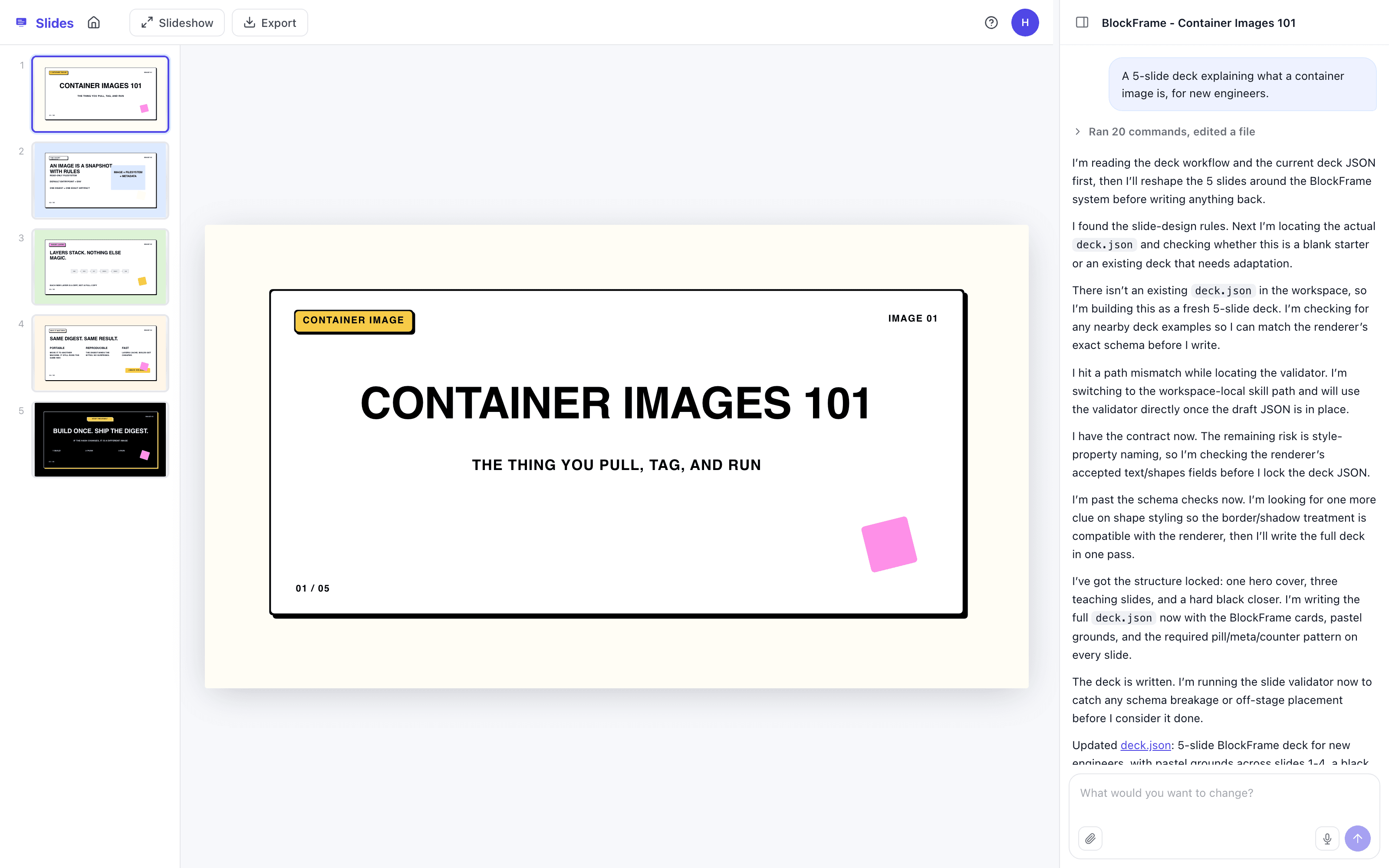
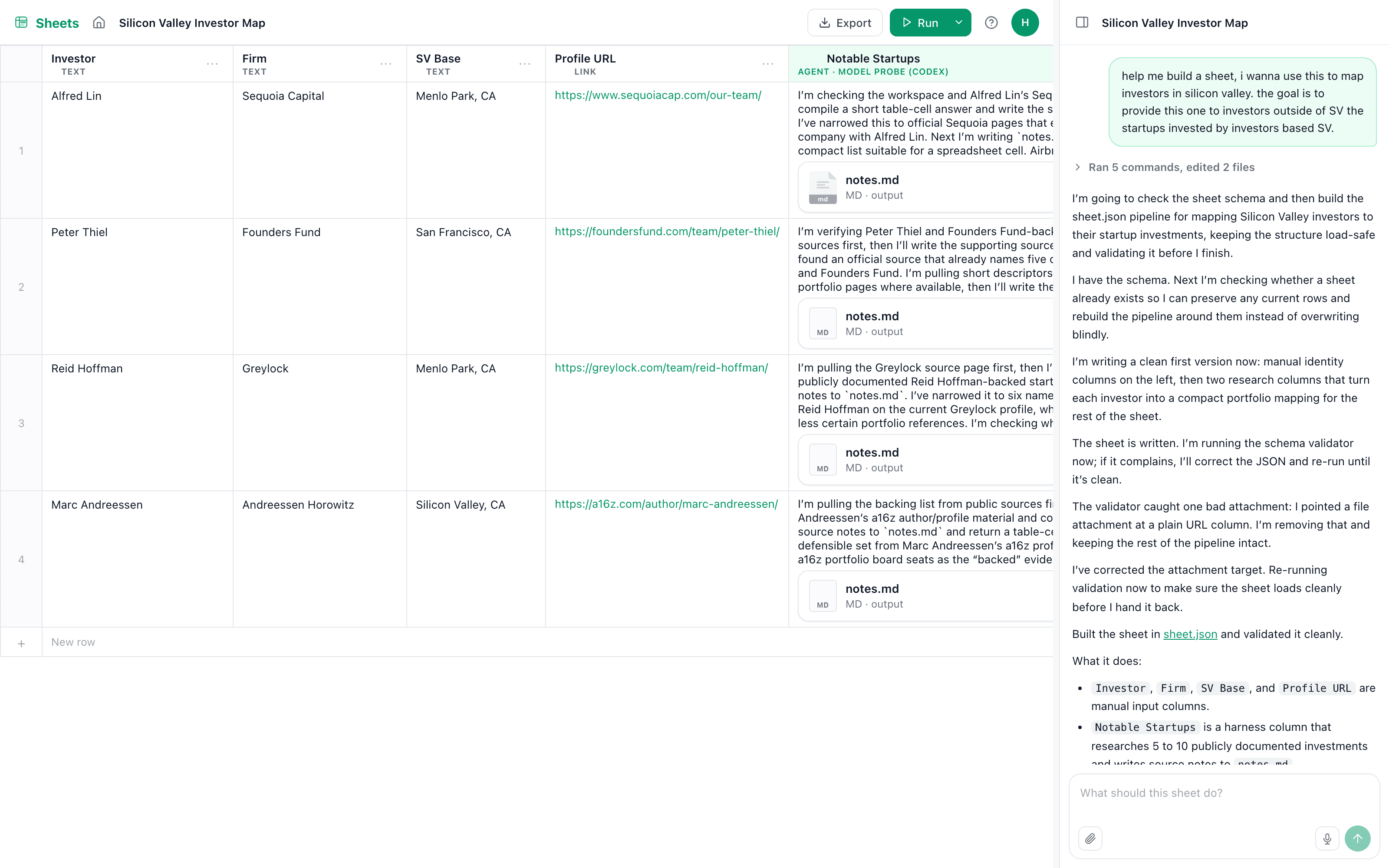
Start from a complete agent product.
Each Open Source kit includes an app, a configured agent, and the skill that teaches it what to build.
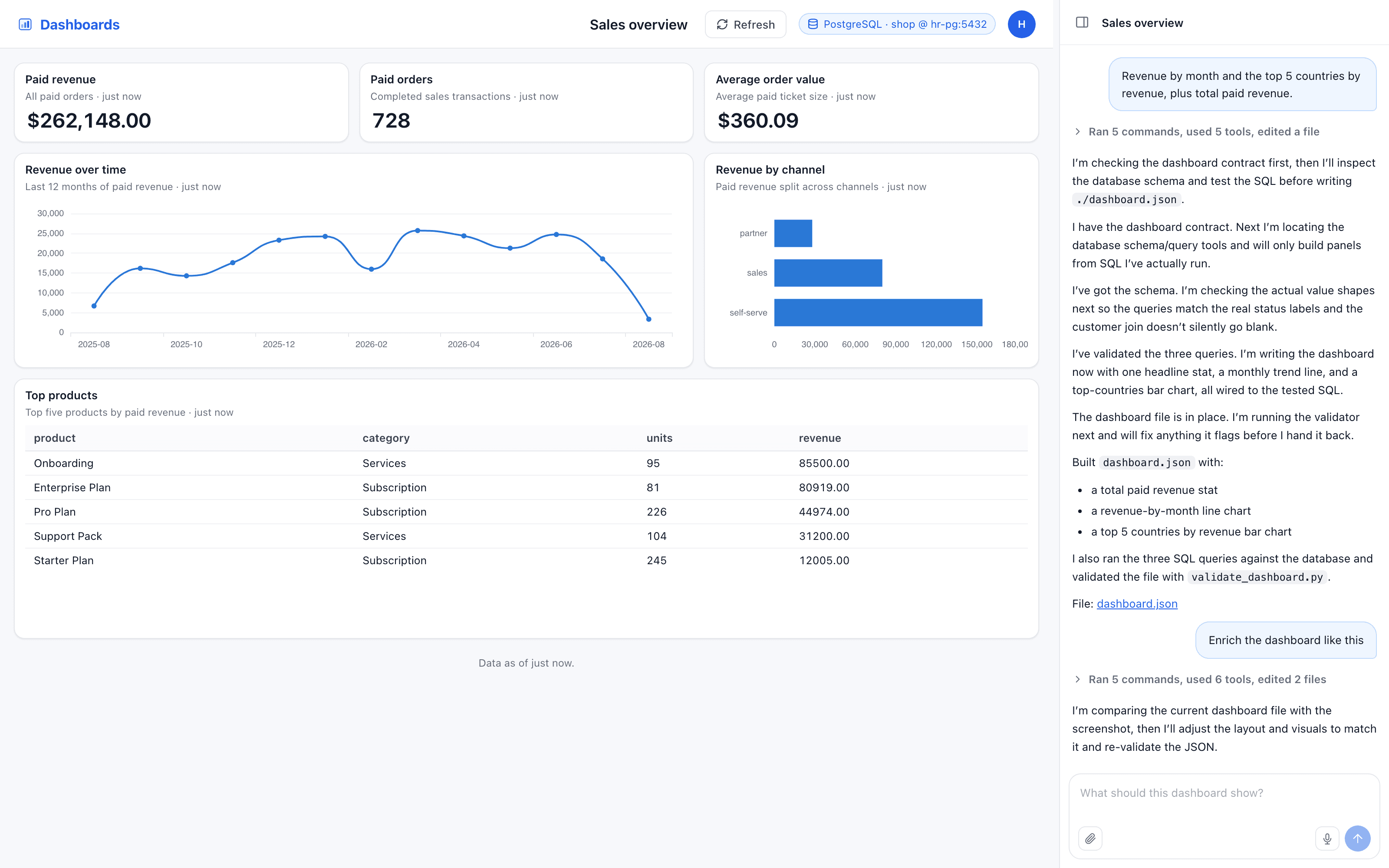
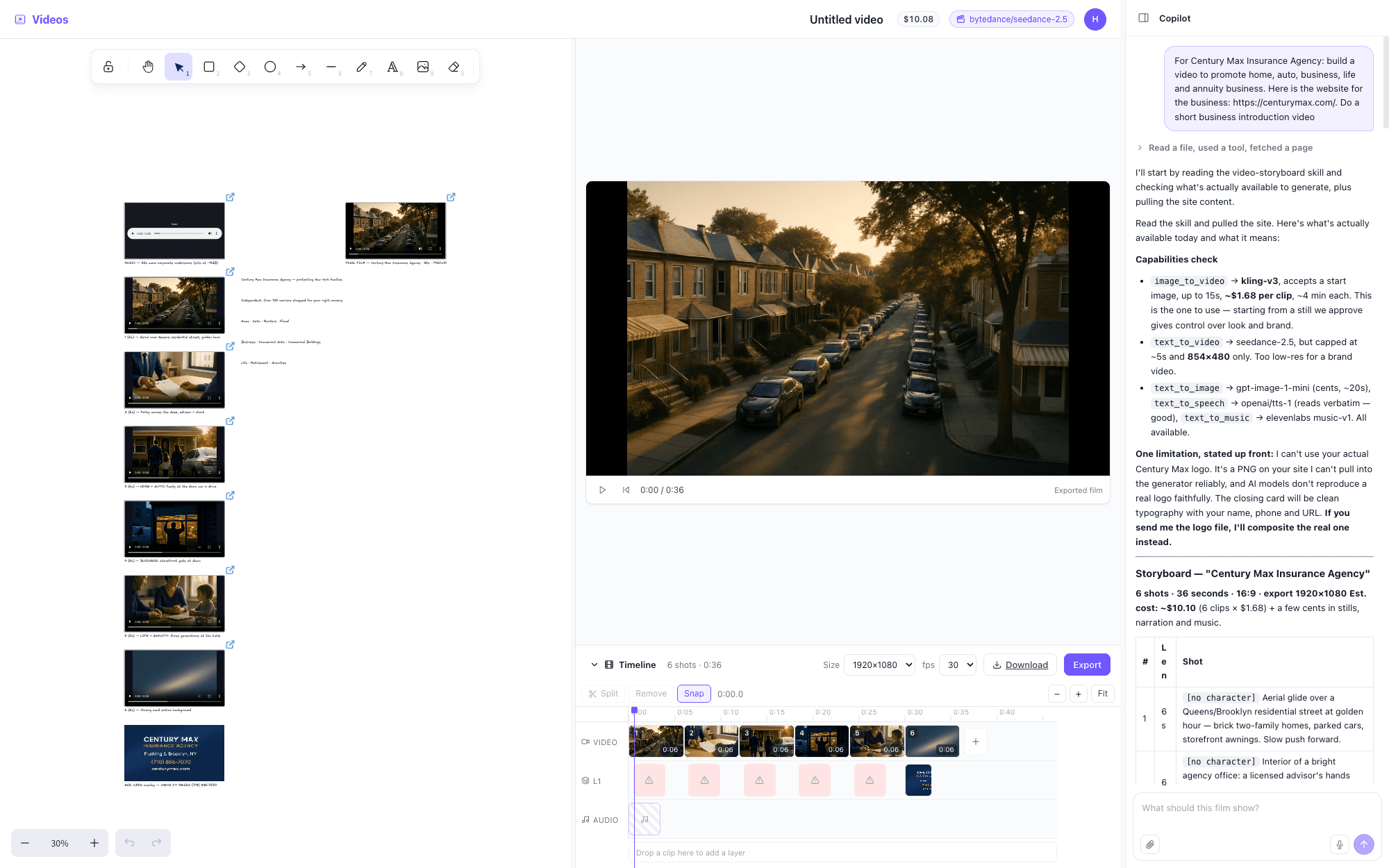
Customer story · Readily
“We can go from a problem and a plan to an agent in product within 24 hours.”
Readily uses HarnessRouter to bring domain expertise into production agents without rebuilding the agent runtime.
Go from plan to productTechnical Q&A
Questions engineers ask before integrating.
Direct answers about the runtime, protocol, hosting, and cost.
Product fit
What is an agent harness?
A model reasons and generates output. An agent harness is the runtime that turns that output into completed work through an execution loop, tools, session state, files, and a working environment. GPT-5.5 and Claude Fable 5 are models. Codex, Claude Code, and Hermes are agent harnesses.
Can Codex, Claude Code, and Hermes power agent features in our product?
Yes. Codex, Claude Code, Hermes, and similar agent harnesses are complete agent runtimes, not only developer tools. HarnessRouter runs them behind one API, while the Unified Harness Protocol (UHP) defines the shared contract your agent product uses to select, configure, and drive each harness. Their execution loops, tools, Sessions, file handling, and task capabilities can power features inside your agent product, while you keep your own interface, authentication, permissions, data, and user experience.
Why use more than one agent harness?
Model choice is only half of the configuration. Even with the same model, the harness can change the agent loop, tool use, token consumption, latency, reliability, and cost. HarnessRouter lets you benchmark harness and model combinations on your own tasks, then route each workload to the combination that fits your quality, speed, and cost targets without rebuilding the product integration. You do not need to run every harness at the same time.
Is HarnessRouter a model router?
No. A model router selects models and returns model output. HarnessRouter runs complete agent harnesses that use models, tools, files, and execution loops to perform tasks and return finished work. The two layers solve different problems and can be used together.
Why not use Codex or Claude Code directly?
You can use them directly to build an agent demo. Turning that demo into a product your users can rely on also requires isolated sandboxes, sessions, streaming, files, cancellation, recovery, scaling, and observability. HarnessRouter provides this production runtime through one API.
What kinds of agent products can we build with HarnessRouter?
You can build any agent product whose core work can be expressed as tasks for a supported harness. Examples include personal agents, codebase fixer agents, research agents, contract review agents, financial agents, data analysis agents, presentation agents, spreadsheet agents, dashboard agents, and video agents. In just a few hours, we launched a personal agent product inspired by Grok DOT, with agent reasoning, tools, file handling, and task execution running behind the agent product interface.
Interface and runtime
What is UHP?
The Unified Harness Protocol is an open and versioned standard for connecting applications to complete agent harnesses. It defines a shared contract for selecting and configuring harnesses, running tasks, streaming progress, continuing Sessions, exchanging files, cancelling work, handling errors, and receiving results. Its task surface is compatible with the relevant OpenAI Responses API surface, and it can be implemented independently of HarnessRouter Cloud. unifiedharnessprotocol.org
Can we switch harnesses without changing our agent product API?
Yes. Your agent product keeps the same HarnessRouter API when it selects a different configured harness for a new task or Session. Each harness still has its own capabilities, tools, and behavior. A continued Session remains on the configured harness that started it.
What does HarnessRouter return to our application?
Your application can receive streamed progress and events, task and Session status, generated files and artifacts, the final result, structured errors, and execution traces. It can also continue a Session, cancel running work, and retrieve the files produced by the agent.
Deployment and control
What is the difference between Community Edition and HarnessRouter Cloud?
Community Edition is the Apache 2.0 reference implementation that you run on infrastructure you control. It packages the Console, Gateway, and Runner in one Docker deployment and uses your own model provider credentials.
HarnessRouter Cloud is the managed service. HarnessRouter operates and maintains the runtime, provisions isolated sandboxes for tasks, supports execution tracing, and scales execution for you. Both editions implement the same UHP contract.
Where do our keys, files, Sessions, and state live?
With Community Edition, provider keys, Sessions, files, workspaces, and application state remain on infrastructure you control. Model requests still go to the provider you configure. With HarnessRouter Cloud, HarnessRouter and the providers selected for a route process the data needed to run and retain tasks. HarnessRouter does not use Customer Content to train its own AI models unless you actively opt in. See the Privacy Policy, Data Processing Addendum, and Subprocessor List for current processing, retention, and deletion terms.
Cost and adoption
Can the harness itself reduce cost when the model stays the same?
Yes. The harness controls the agent loop, tool use, retries, and token consumption, so two harnesses using the same model can have different task costs. In one controlled HarnessRouter benchmark, keeping the model fixed and changing only the harness produced a 1.5x to 2.1x cost difference. The lower cost harness used about 32% to 53% fewer credits in those same model comparisons, and latency differed by up to 1.95x. Across all eight harness and model configurations, the lowest cost configuration consumed 99.8% fewer credits than the highest cost configuration. Results vary by task, so HarnessRouter lets you benchmark combinations on your own workload and route to the one that meets your cost, speed, and quality targets. View the benchmark
How does pricing work with our own provider keys or a HarnessRouter key?
With your own provider keys, your model provider bills model usage directly. HarnessRouter bills Agent work and any applicable Agent memory or routing fees. With a HarnessRouter key, model usage is billed through HarnessRouter at exactly what the model's provider charges, with no markup. Agent work is metered only while the harness is actively executing steps and tools. Waiting for a model response, a user, a queue, or a platform retry is free. See Pricing for current plans, included usage, and rates.
What is required to migrate an existing agent product?
Open the HarnessRouter Docs and select Migrate an existing agent product. Give the migration instructions to your coding agent, describe the current backend, and add a Workspace API key only through the secure secret modal when prompted. The coding agent helps map the existing runtime to HarnessRouter while preserving your agent product interface. Before cutover, run representative staging tasks and verify results, streaming, files, recovery, latency, and cost. Keep the existing path available for rollback until the migration is verified. Open the HarnessRouter Docs
Put agent harnesses to work in your agent product.
Start with one API. Scale and optimize as your workloads grow.
Start building